

Analysis Overview
After completing your evaluation, you can analyze the results through various charts and metrics. The analysis dashboard provides comprehensive insights into your evaluation data. Want to see these analysis features in action? Check out our sample evaluation analysis to explore a real-world example of how these charts and metrics come together.Mean Score Analysis
Single Evaluation Charts
1
Mean Scores by Model
View the average scores for each model in your evaluation through a bar chart visualization.
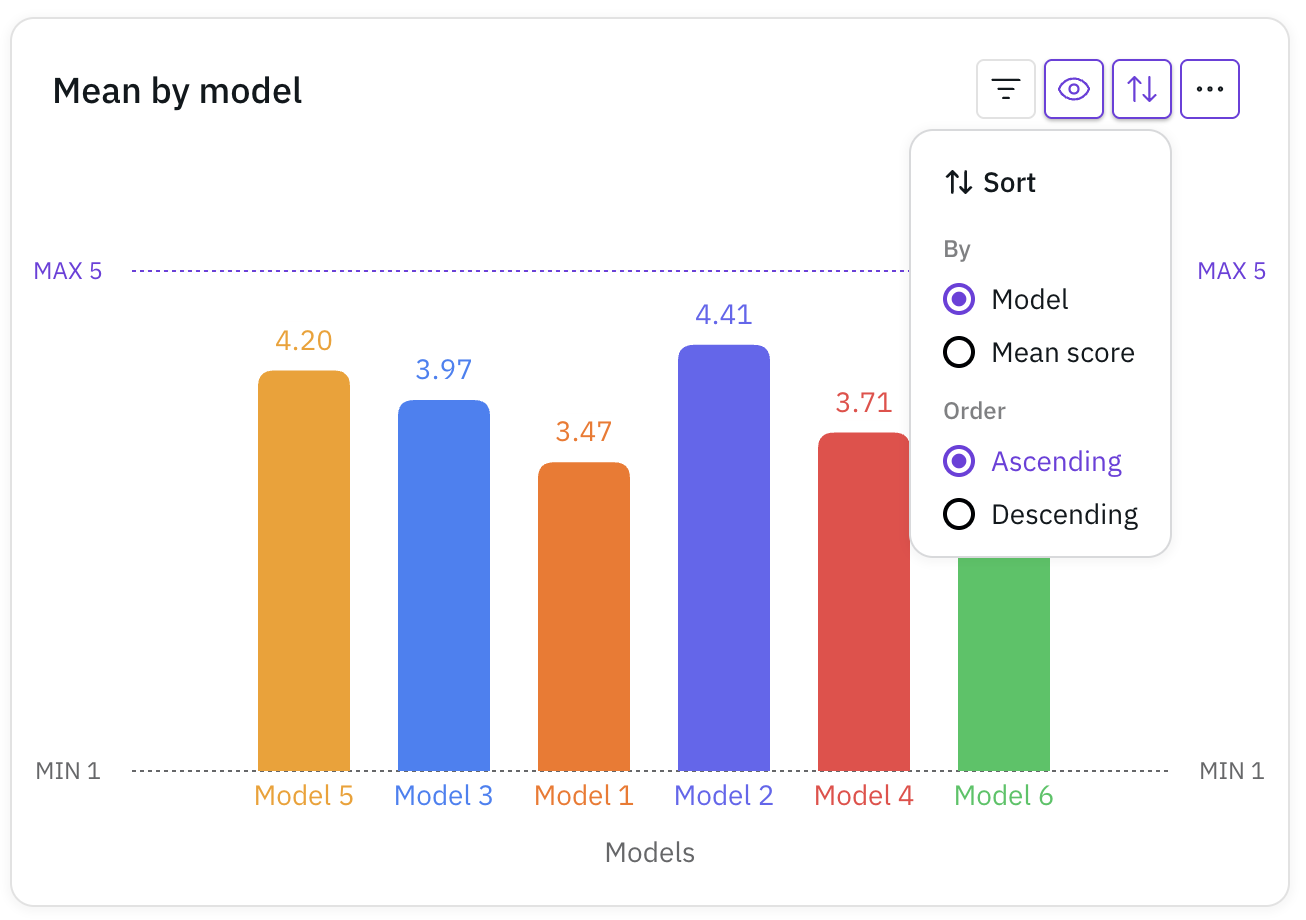 This chart helps you quickly compare the performance across different models.
This chart helps you quickly compare the performance across different models.2
Mean Scores by Tag
Analyze average scores grouped by tags you’ve assigned.
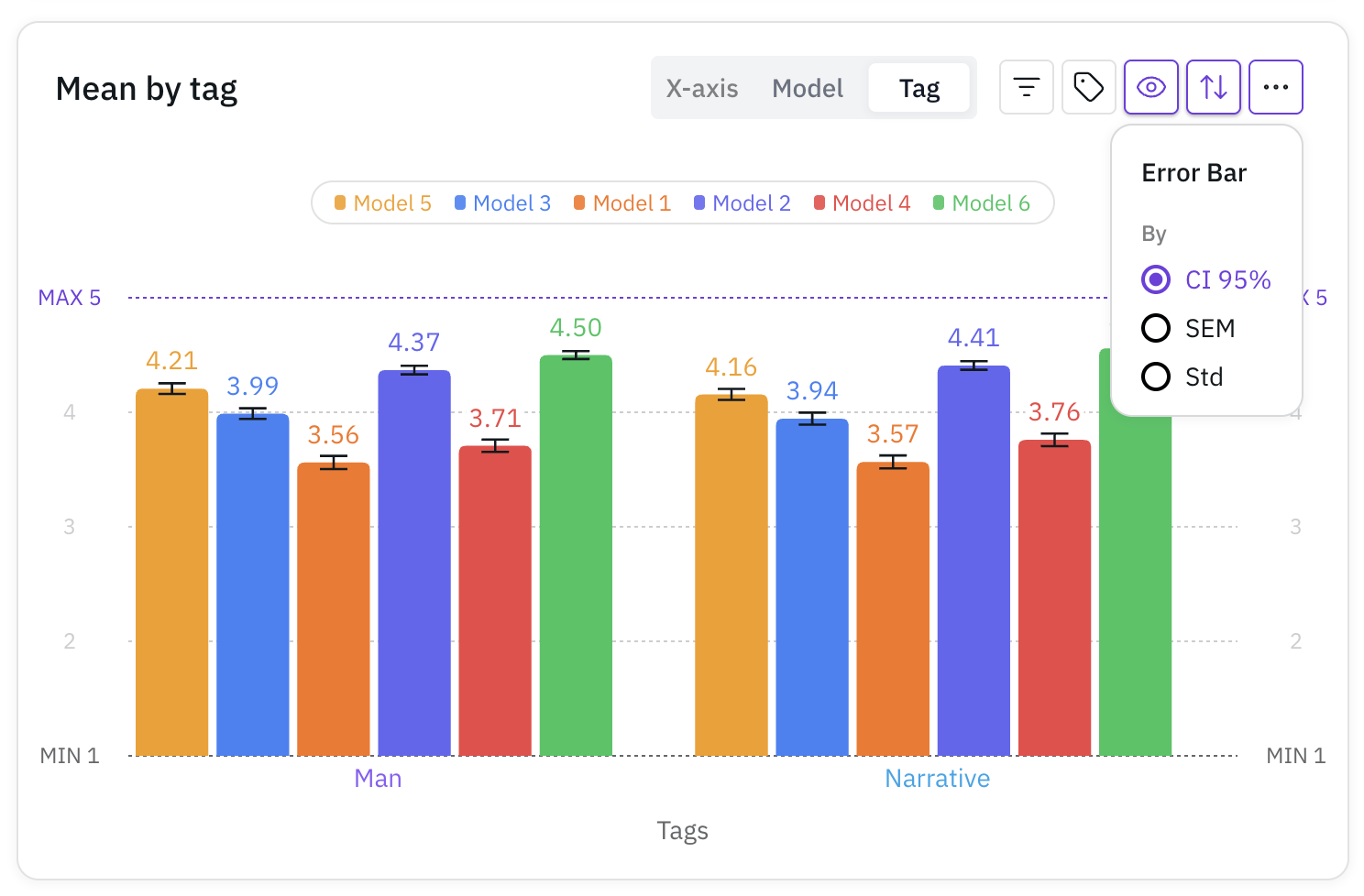 This visualization helps identify patterns across different categories or attributes.
This visualization helps identify patterns across different categories or attributes.Double Evaluation Charts
1
Comparative Mean Scores by Model
For comparative evaluations, see which model was preferred in direct comparisons.
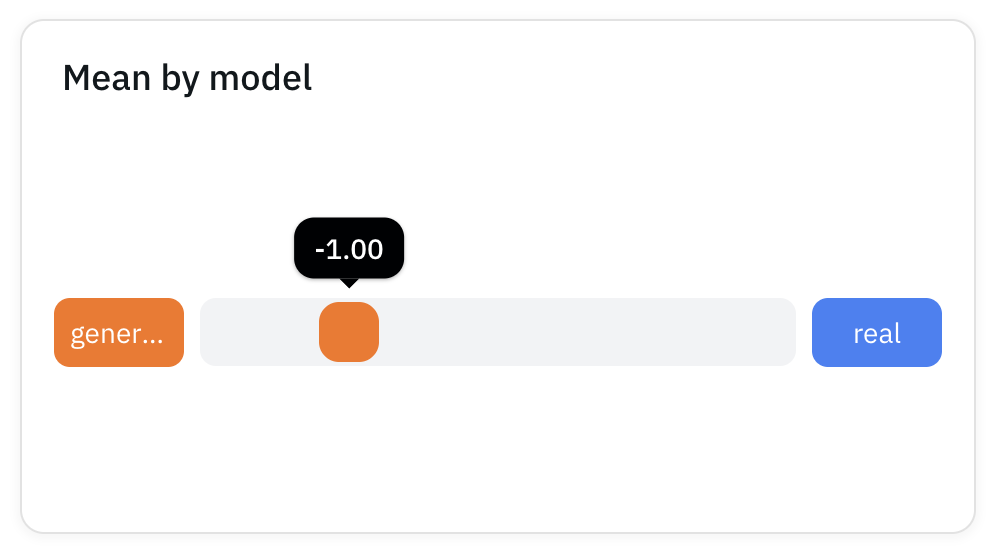 This chart shows the preference distribution between Model A and Model B.
This chart shows the preference distribution between Model A and Model B.2
Comparative Mean Scores by Tag
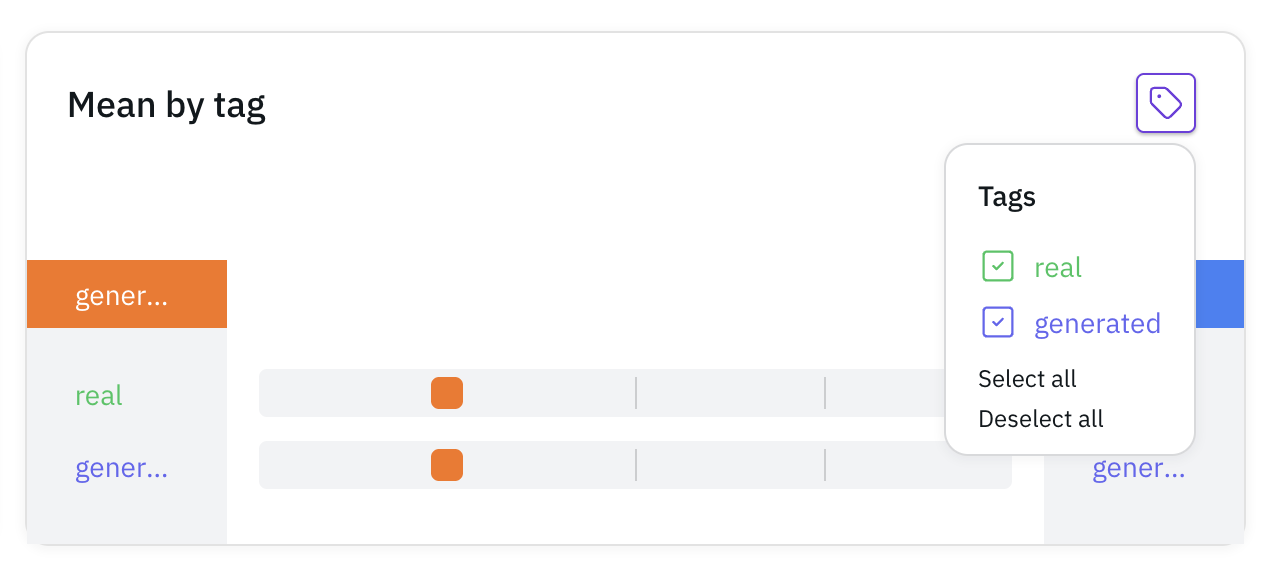
Compare performances across different tags in paired evaluations.
Detailed Analysis
Response Distribution
1
Answer Frequency by Model
See how responses are distributed across different models.
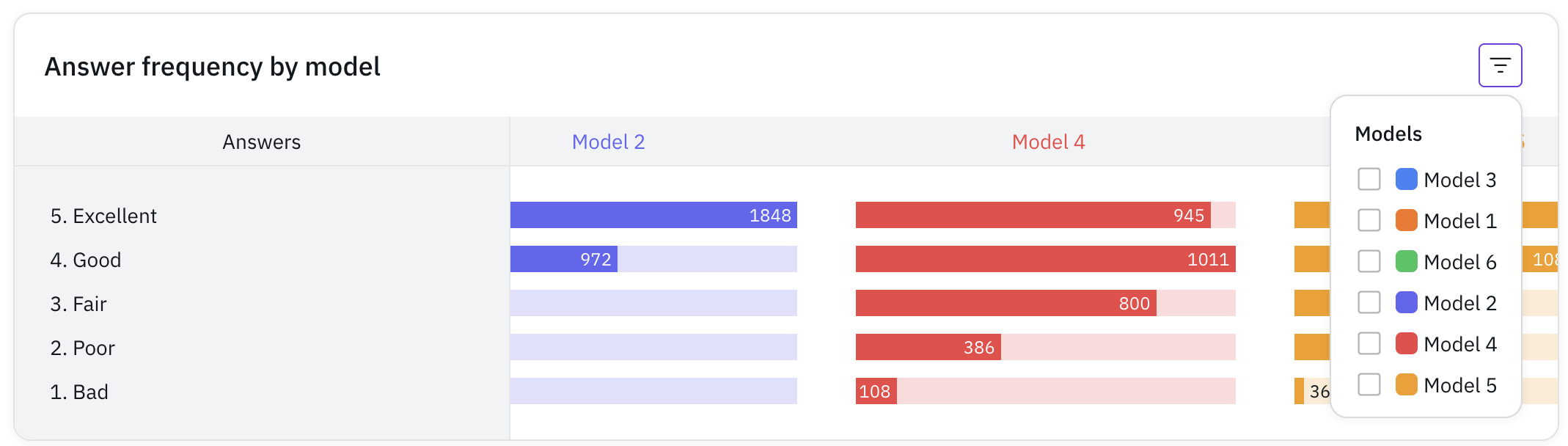 This horizontal bar chart shows the frequency of each response option per model.
This horizontal bar chart shows the frequency of each response option per model.2
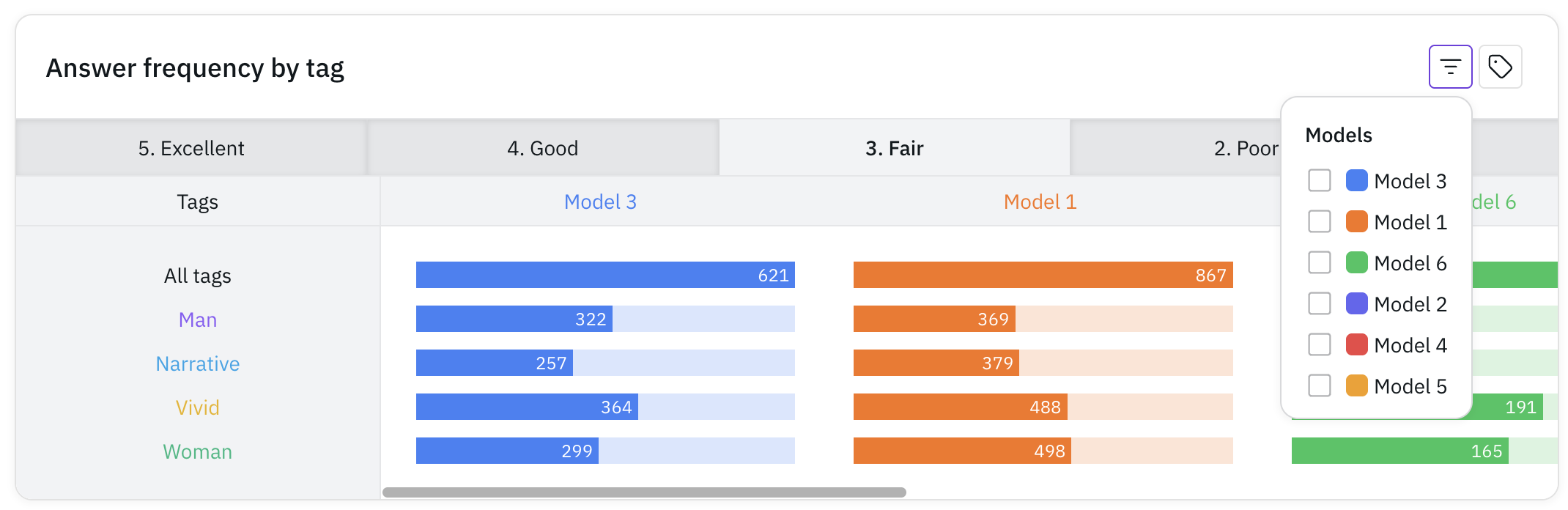
Answer Frequency by Tag
Analyze response patterns based on tags.
3
Per-Query Response Distribution
View detailed response distributions for individual queries.
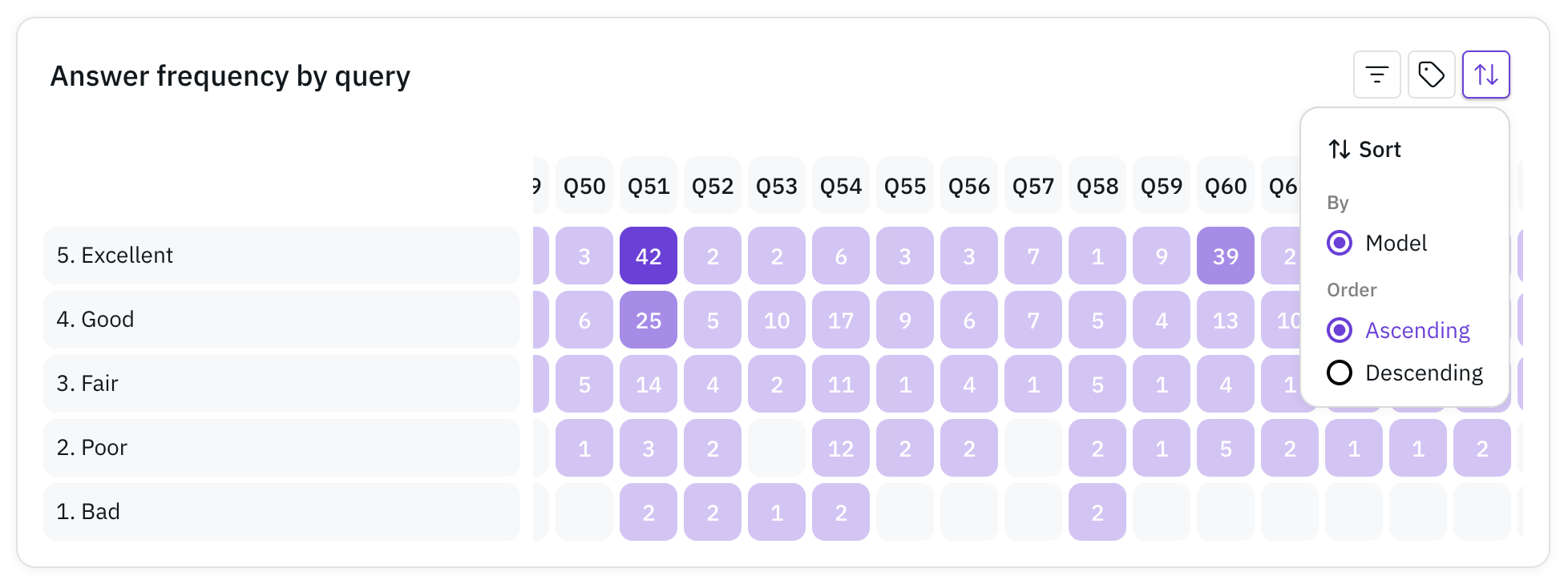 This helps identify specific queries that received particular response patterns.
This helps identify specific queries that received particular response patterns.Query-Level Analysis
1
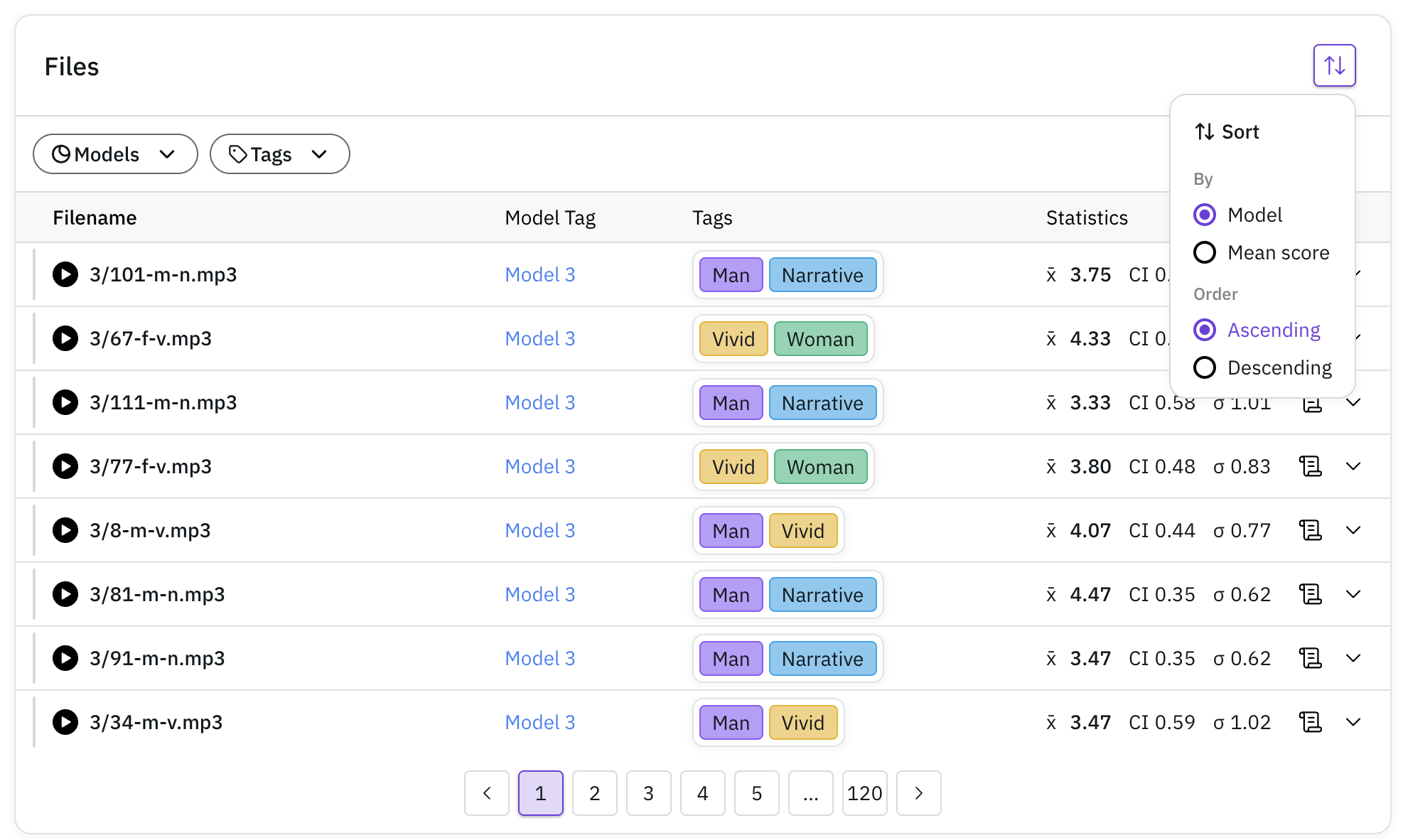
Query Summary
View a comprehensive list of all quries with their:
- Associated models
- Tags
- Mean scores
2
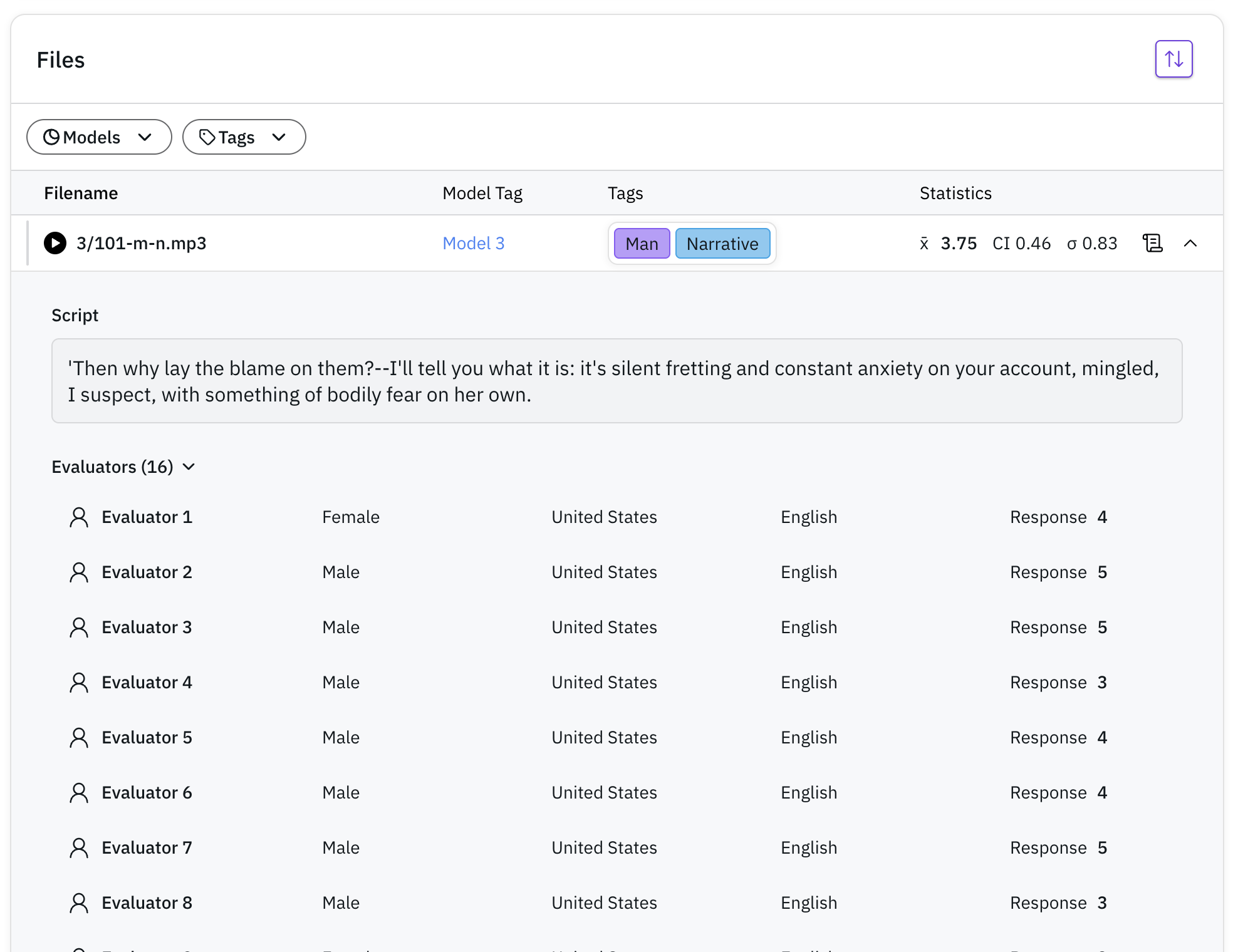
Query Details
Access detailed information about each evaluated file:
- Individual responses
- Evaluator demographics (nationality, gender)
- Associated script (if available)
3
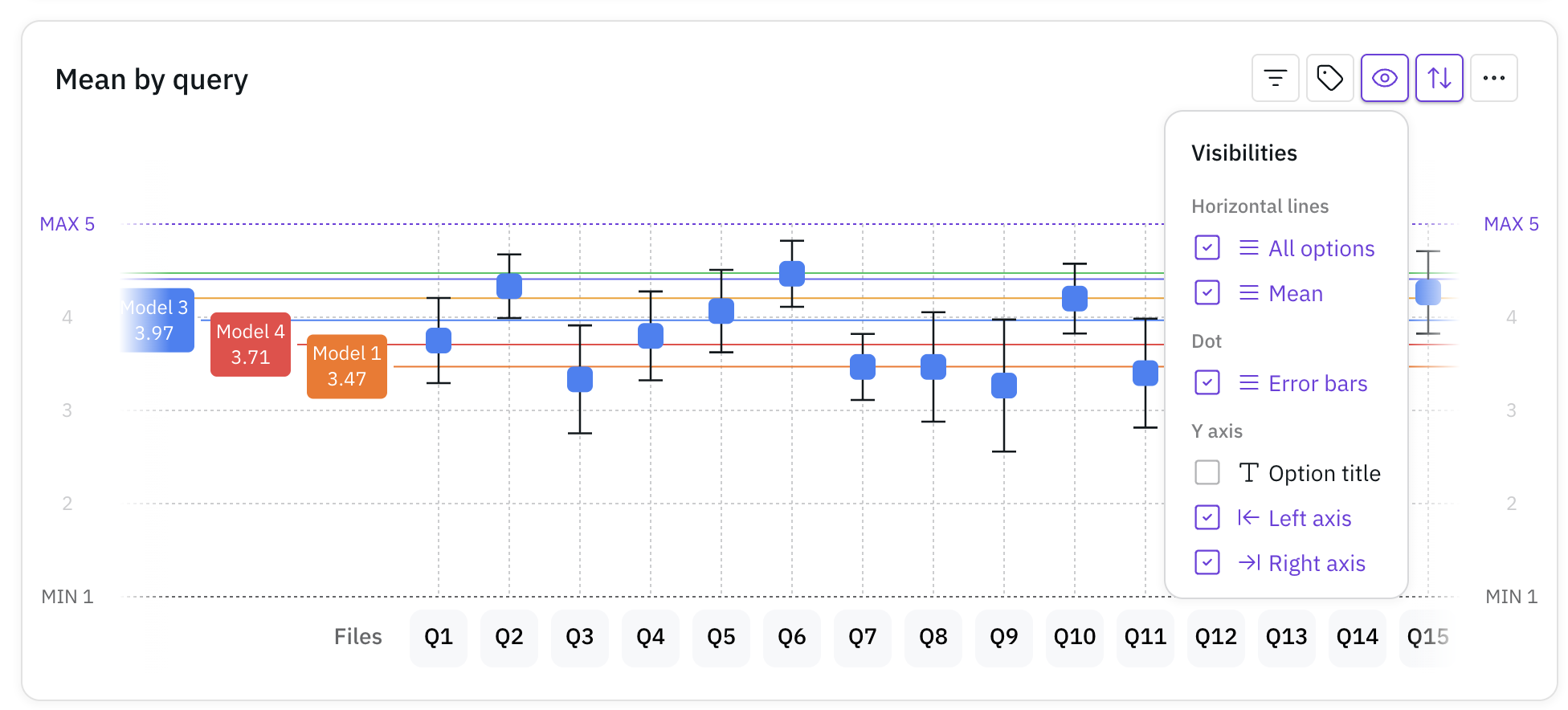
Interactive Scatter Plot
Explore all query scores in an interactive scatter plot:
- Filter by model
- Customize chart views
- Identify patterns and outliers
Pro Tip: Make the most of your analysis by utilizing tags effectively. Tags allow you to slice and dice your data in various ways, providing deeper insights into specific aspects of your evaluation. Consider adding tags for characteristics like:
- Speaker demographics (gender, age group)
- Audio characteristics (noisy, clean)
- Content type (question, statement)
- Any other relevant categorization