> ## Documentation Index
> Fetch the complete documentation index at: https://podonos.com/docs/llms.txt
> Use this file to discover all available pages before exploring further.

# Create Templates

> Templates are predefined evaluations that you can reuse them.

## How to Create a new Template

Templates allow you to define a set of reusable questions and options for evaluations. Follow these steps to create your own template:

<Steps>
  <Step title="Create a New Template">
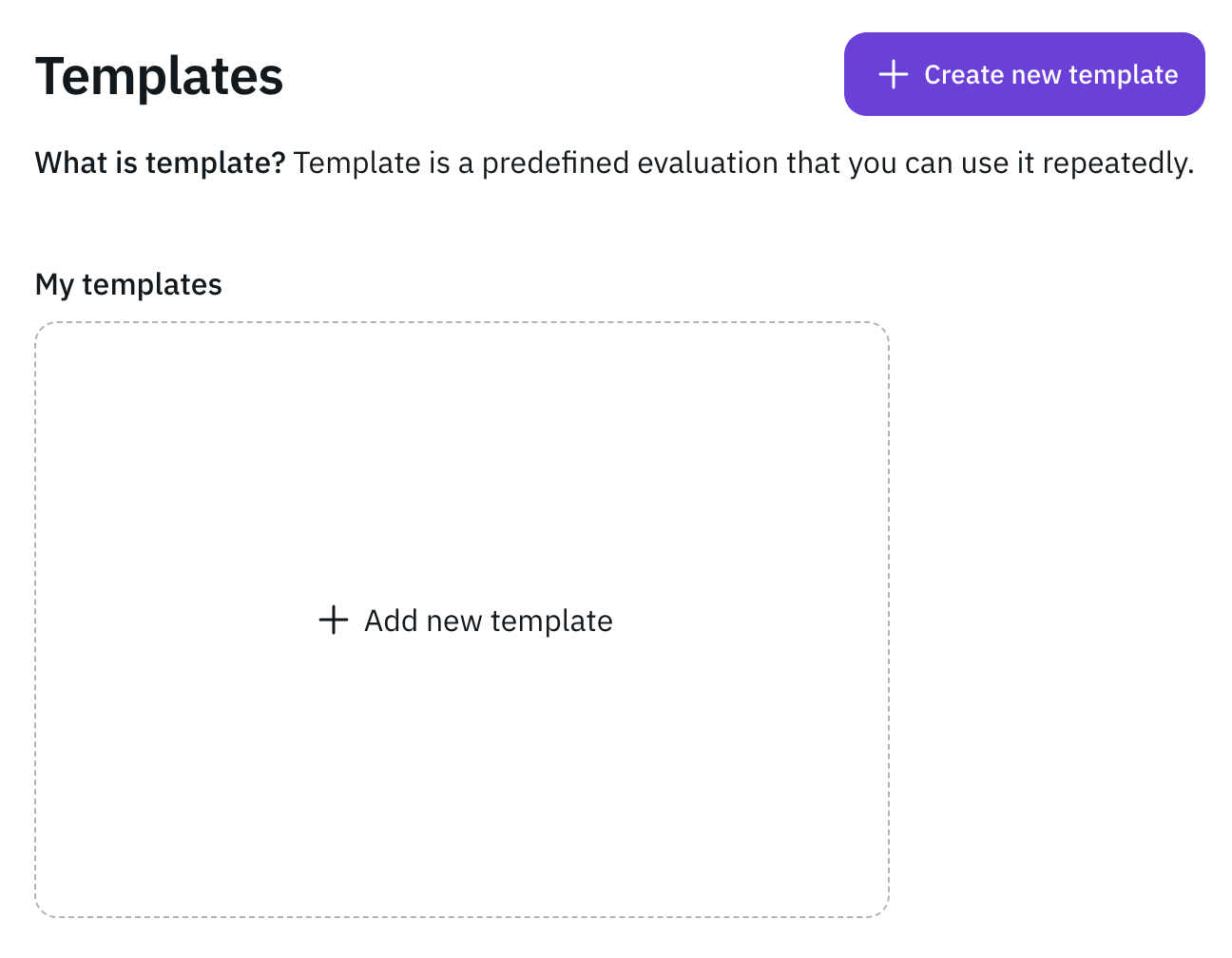
    Navigate to the **Templates** page and click **+ Create new template** to
    start creating a new template.
    <Frame>
      ![0\_template\_screen.png](https://static-public.podonos.com/sdk/how-to-create-template/0_template_screen.png)
    </Frame>
  </Step>

  <Step title="Enter Template Information">
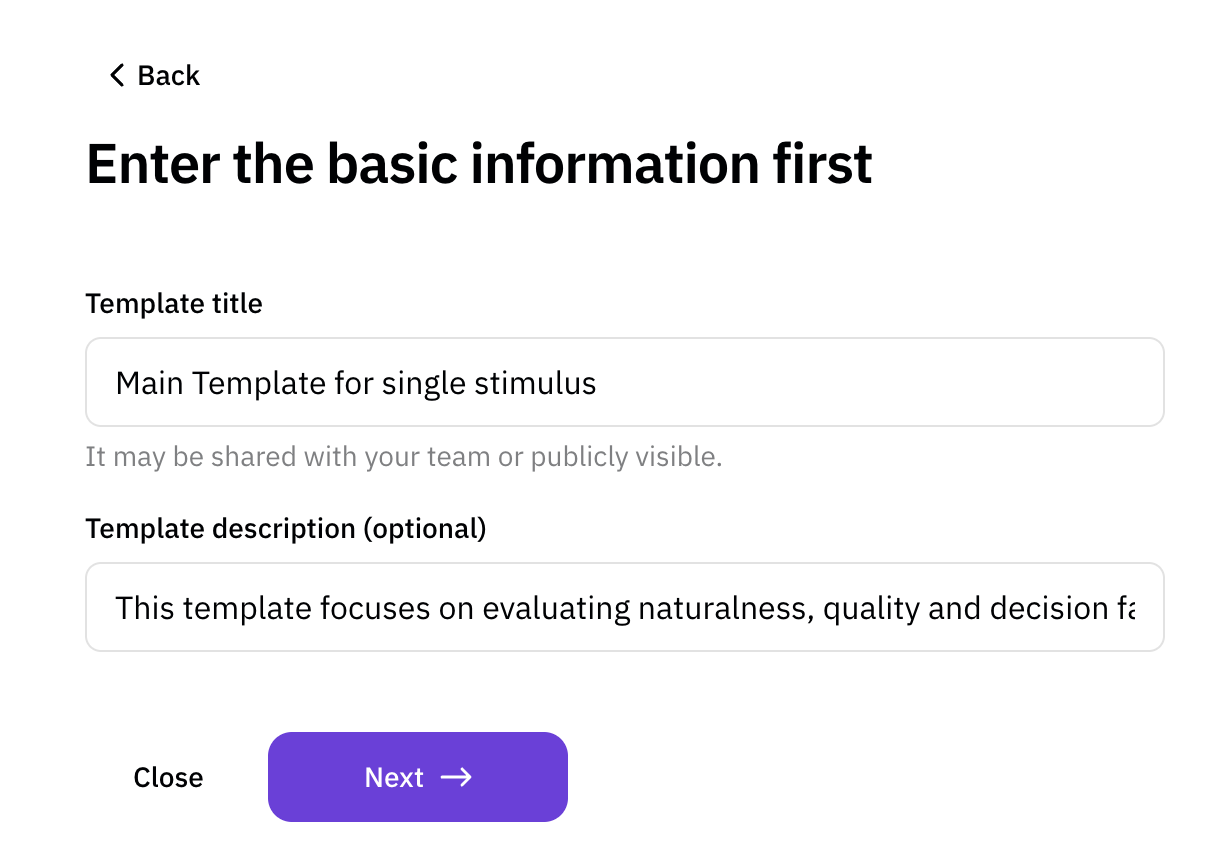
    Provide the **Title** and **Description** for the template. This information
    will help identify the template later.
    <Frame>
      ![1\_template\_information.png](https://static-public.podonos.com/sdk/how-to-create-template/1_template_information.png)
    </Frame>
  </Step>

  <Step title="Define Evaluation Information">
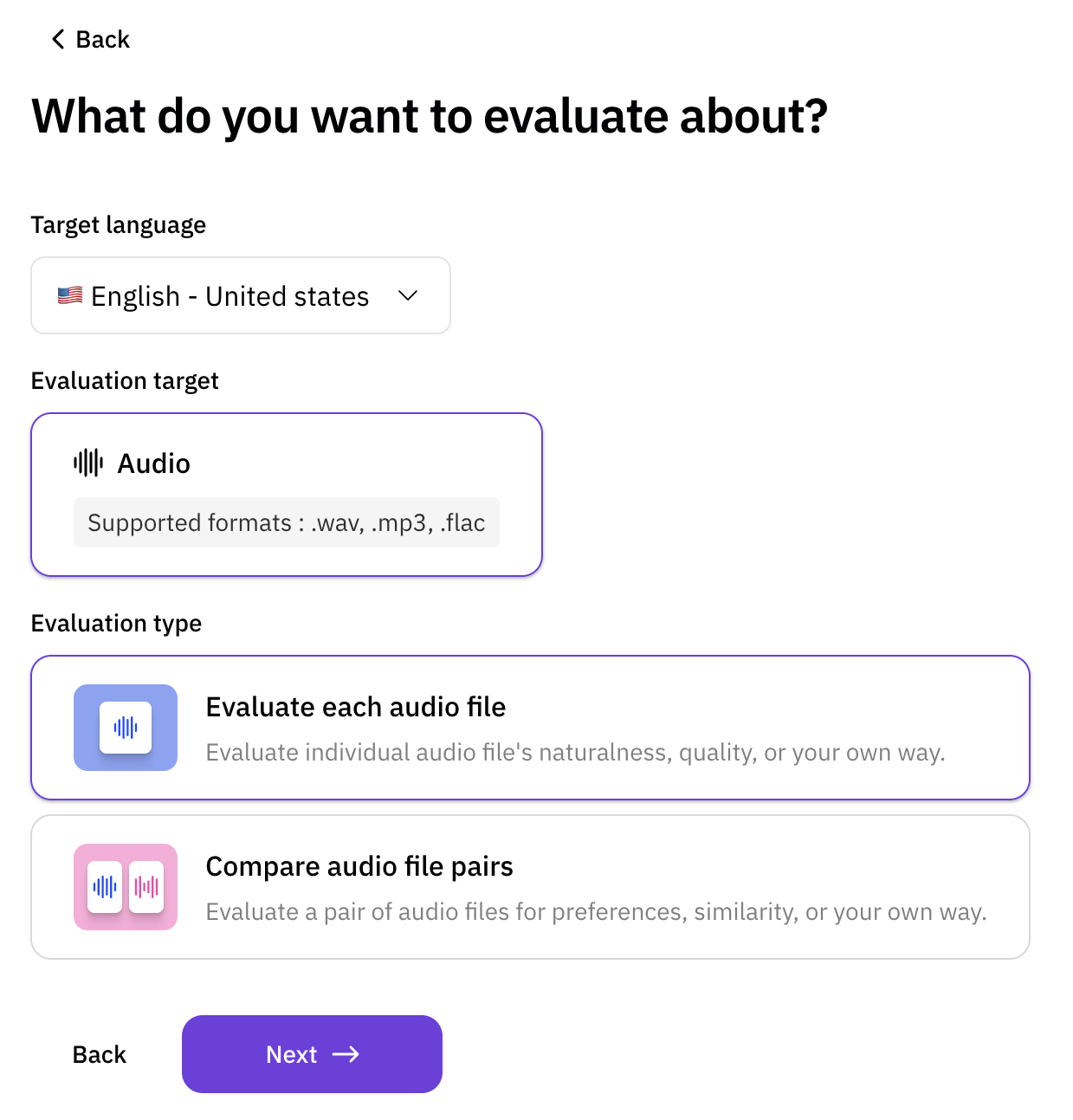
    Specify the basic settings for evaluations created using this template,
    including **Language**, **Target**, and **Type**.
    <Frame>
      ![2\_template\_evaluation\_information.png](https://static-public.podonos.com/sdk/how-to-create-template/2_template_evaluation_information.png)
    </Frame>
  </Step>

  <Step title="Add Instructions (Optional)">
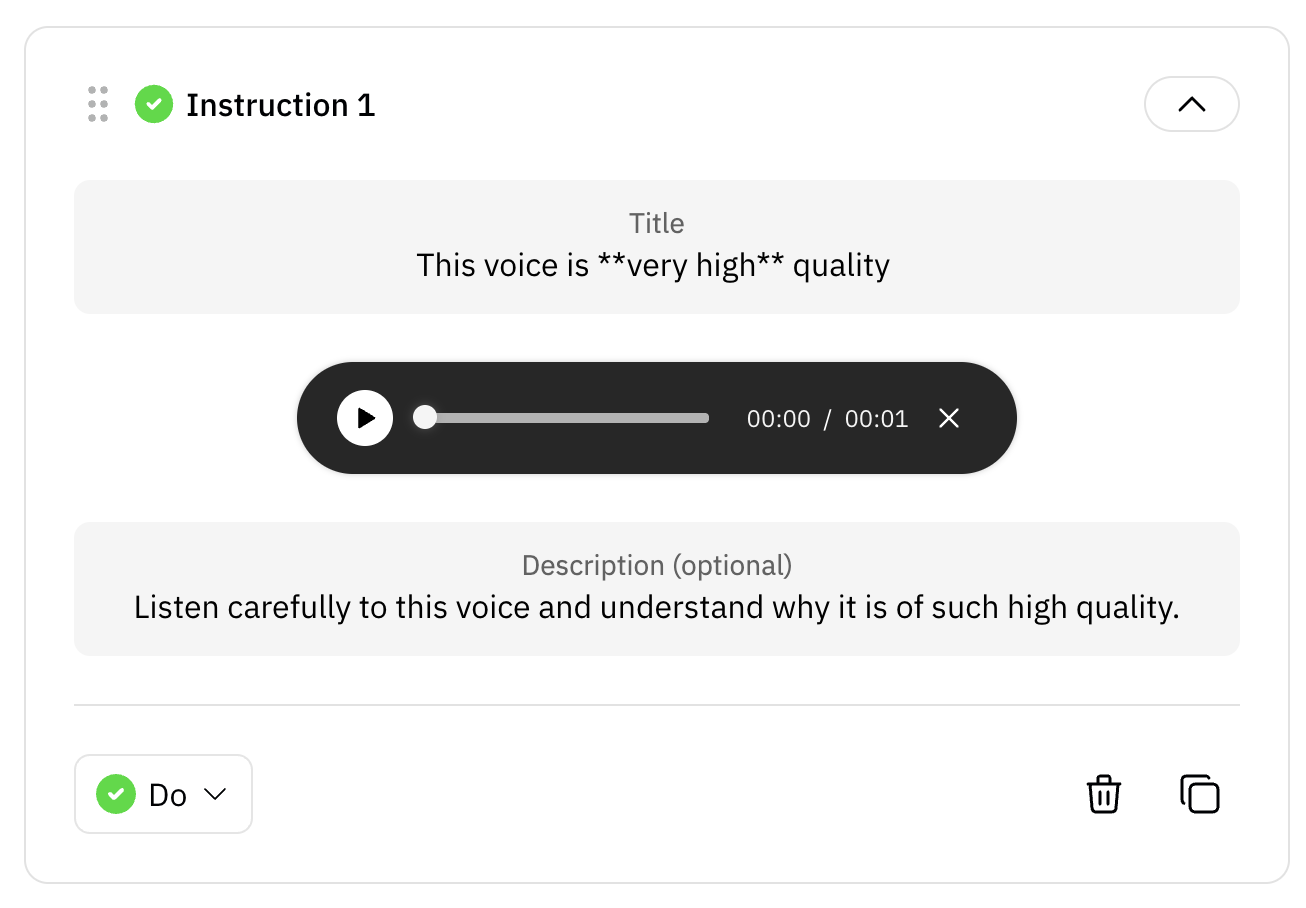
    Create clear and concise instructions for evaluators. This step ensures that
    evaluators understand how to complete the evaluation effectively.
    ![3\_template\_instructions.png](https://static-public.podonos.com/sdk/how-to-create-template/3_template_instructions.png)
  </Step>

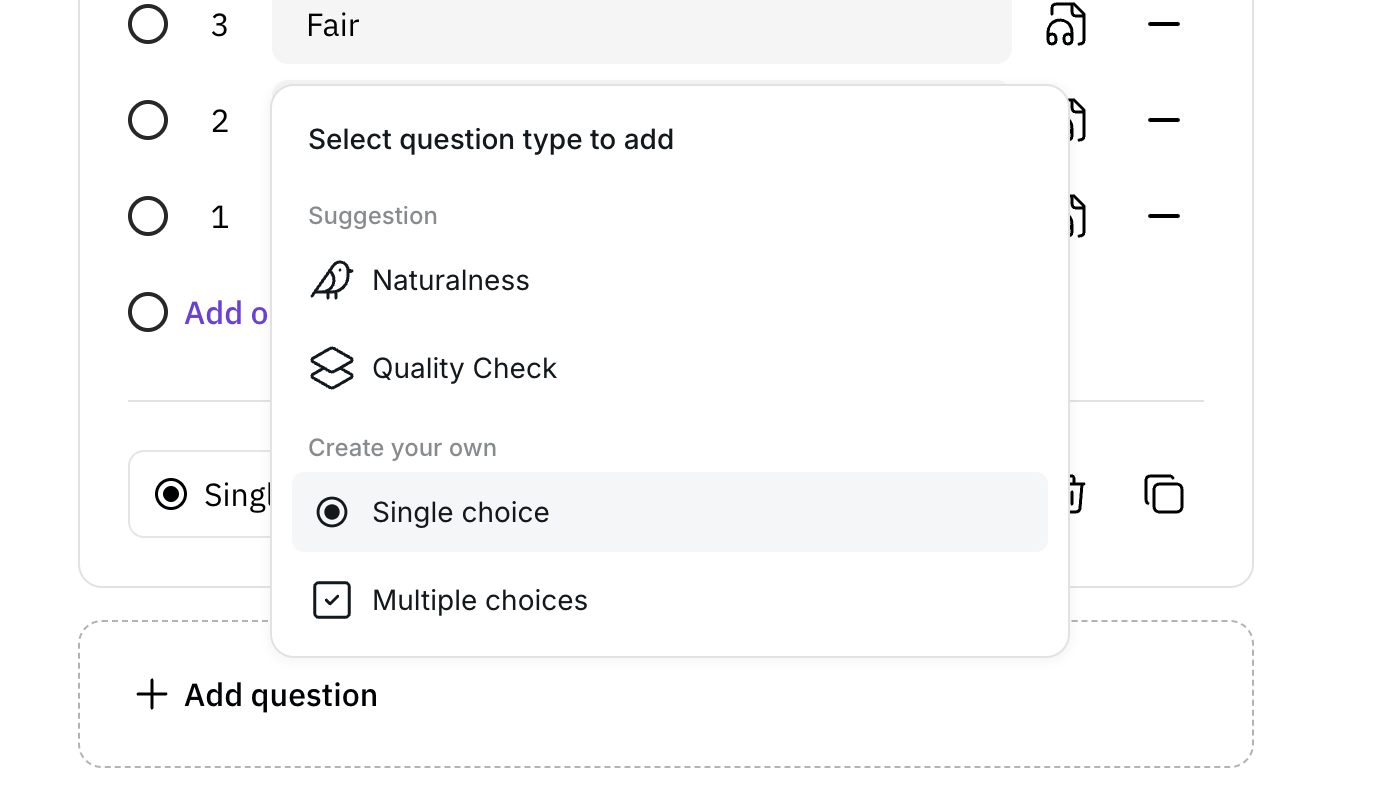
  <Step title="Add Questions">
    Define the key questions for the evaluation. These questions will guide
    evaluators during the evaluation process.
    <Frame>
      ![4\_template\_questions.png](https://static-public.podonos.com/sdk/how-to-create-template/4_template_questions.png)
    </Frame>
  </Step>

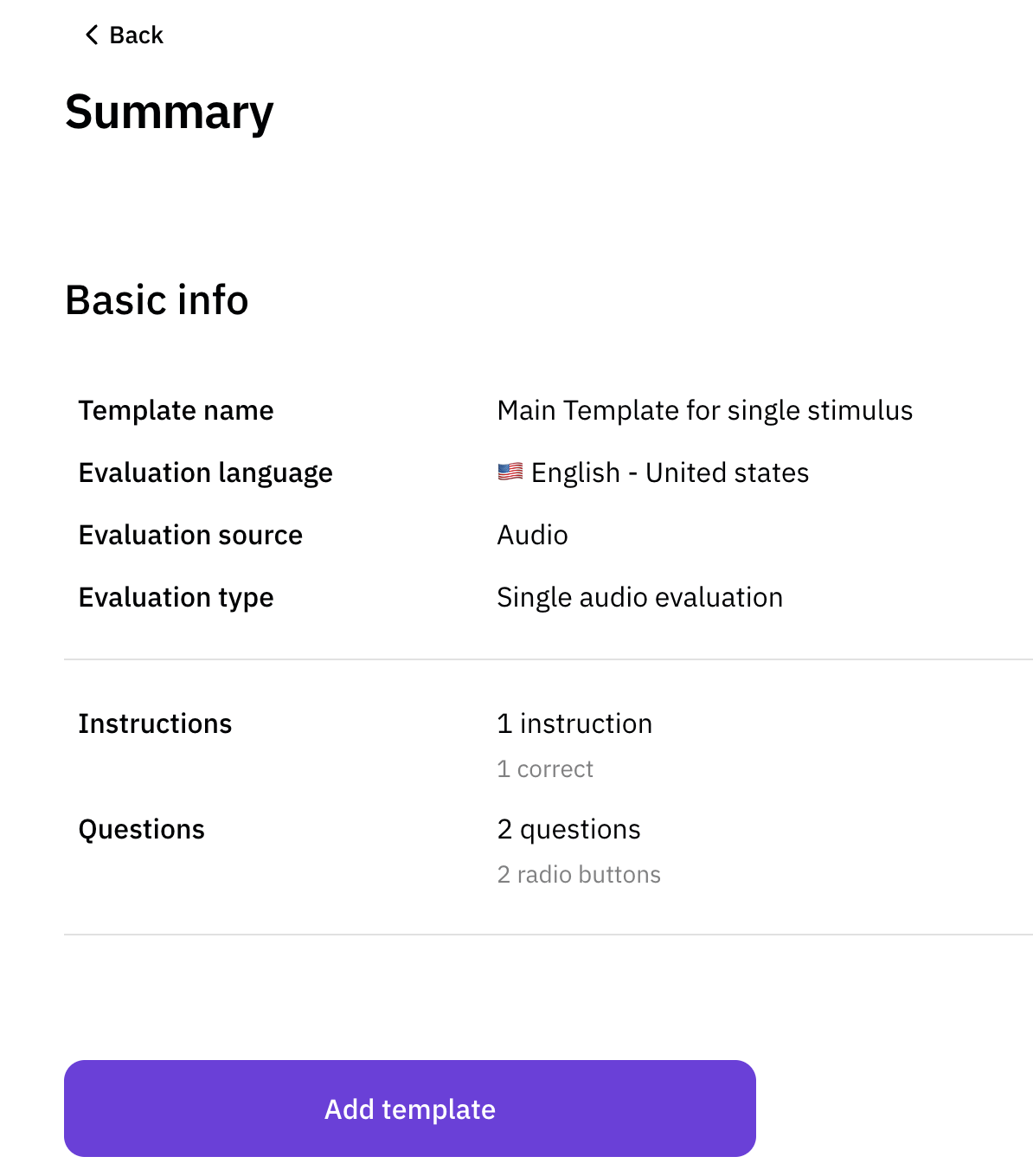
  <Step title="Review and Summarize">
    Review all the details of your template in the summary section. Confirm that
    the template meets your requirements before proceeding.
    <Frame>
      ![5\_template\_summary.png](https://static-public.podonos.com/sdk/how-to-create-template/5_template_summary.png)
    </Frame>
  </Step>

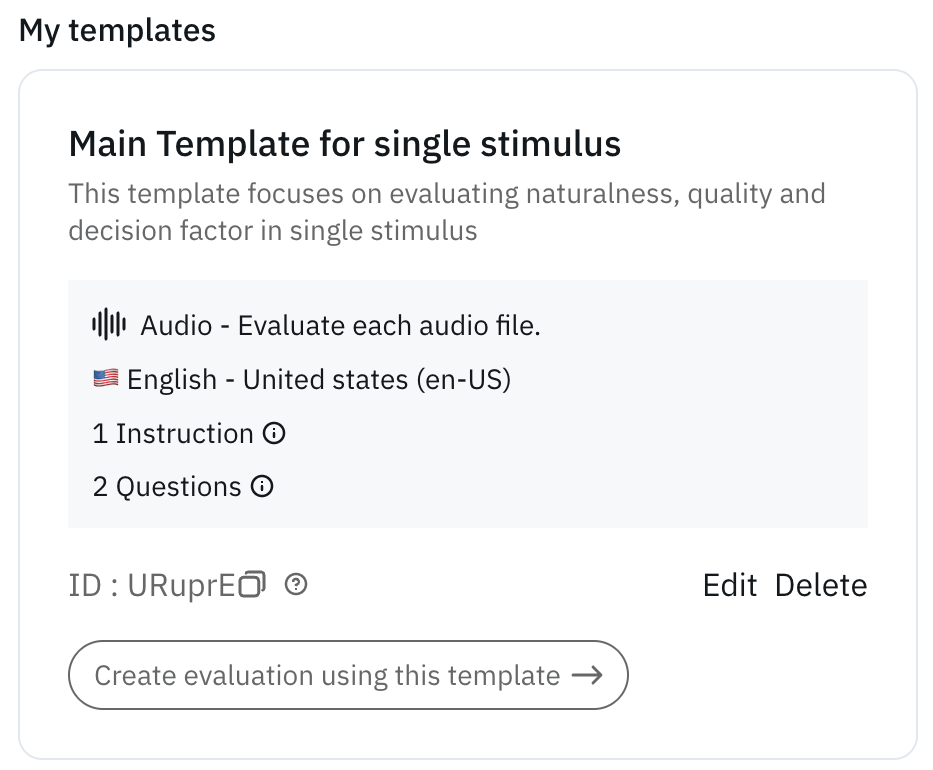
  <Step title="Template Creation Complete">
    Once the template is created, you will see a confirmation screen with a
    summary of the template and its **Template ID**, which you will use on the
    SDK.
    <Frame>
      ![6\_template\_result.png](https://static-public.podonos.com/sdk/how-to-create-template/6_template_result.png)
    </Frame>
  </Step>
</Steps>

<Note>
  After the template is created, you can use the **Template ID** to generate
  evaluations using the SDK or directly from the web platform.
</Note>
